









WebRTC for Virtual Classrooms: The Non-Technical Explanation
Learn WebRTC for virtual classrooms in plain language and improve call quality. This guide explains the moving parts behind smoother classes, fewer audio issues, and better decisions for schools and IT teams. Virtual classrooms feel simple to users, but the live experience depends on a real-time media path that has very little tolerance for delay, packet loss, or unstable routing. That media path is usually powered by WebRTC, and when it is misunderstood, schools often blame the LMS, the teacher, or the device before checking the real bottleneck. For non-technical teams, the easiest way to think about WebRTC is this: it is the live delivery layer for voice, webcam, screen sharing, and classroom interaction. If that layer is healthy, sessions feel smooth. If it is weak, users ask why audio is breaking, why screen sharing lags, or why recordings seem inconsistent after live classes. This matters for schools, universities, and training teams using BigBlueButton because recording on BigBlueButton, Canvas-connected teaching, and live class stability all depend on the same core infrastructure choices. The right explanation helps staff understand how to record BigBlueButton meetings, how to view recorded conferences, and why poor real-time delivery can still affect perceived quality even before the recording is processed. Primary keyword: WebRTC for virtual classrooms. Secondary keywords: WebRTC explanation for schools, virtual classroom call quality, WebRTC latency, WebRTC packet loss, TURN server for online classes. Supporting keywords used throughout this page include STUN, jitter, firewall ports, screen sharing performance, Opus codec, WebRTC stats, browser media routing, concurrent classroom traffic, managed classroom hosting, BigBlueButton recording workflow. Additional long-tail keyword strategy used naturally across this article includes non-technical WebRTC guide, WebRTC for educators, how WebRTC works in online teaching, why live class audio breaks, reduce latency in virtual classrooms, TURN vs STUN for schools, packet loss in online classes, jitter in live teaching, firewall rules for remote learning, screen share delay in browser classrooms, WebRTC troubleshooting for IT teams, BigBlueButton WebRTC quality, virtual classroom media path, browser-based classroom infrastructure, and WebRTC call quality for LMS platforms. WebRTC is the browser-based technology that helps people speak, see, and share screens live without relying on a traditional software client. In a virtual classroom, it is the engine that carries the conversation in real time. BigBlueButton is built for live teaching, so the platform depends heavily on the health of its WebRTC layer. When a school has many simultaneous classes, the platform must manage live audio, webcams, presentation updates, screen sharing, and post-class recordings without creating visible disruption. That is why schools should think in terms of concurrency, not only total users. Fifty quiet users in separate timeslots are not the same as fifty active users with open microphones, webcams, and shared screens at the same moment. WebRTC quality becomes more important as classroom concurrency rises. It also shapes how people experience recording with BigBlueButton. Users may ask how to record a presentation, how to record a BigBlueButton meeting, or how to listen to a BigBlueButton recording later. A poor live session can still create lower trust in the recording, even if the archive technically exists. In simple meeting apps, users often accept small glitches because the meeting is short and informal. In virtual classrooms, users expect speech to be clear, screen sharing to stay readable, and moderation to feel controlled. That makes WebRTC quality more visible and more important. When people ask what a virtual classroom needs, they often focus on a fast internet plan. That matters, but it is only one part. Live classes depend on a stable chain: browser, network path, routing quality, TURN/STUN support, available ports, and enough server headroom to handle busy periods. WebRTC tries to create the fastest, most direct live media path possible between participants and the classroom service. It checks how users can connect, picks a workable route, and keeps adjusting as conditions change. In practice, that means it is always balancing speed, quality, and stability. STUN helps discover the best reachable path. TURN helps when a direct path is blocked, especially behind strict firewalls. If the available route is slow or unstable, users feel latency, echo, robotic speech, or delayed screen sharing. The Opus codec helps voice stay efficient, but it cannot fully hide a weak network path. For non-technical teams, the easiest warning signs are delayed teacher speech, learners talking over each other because of lag, or screen sharing that arrives too late to follow. For technical teams, WebRTC stats help confirm the root cause by exposing packet loss, jitter, and transport quality. Schools need more than a working call. They need controlled access, defined retention, clear recording ownership, and predictable rules for who can join, who can publish media, and who can review archives later. That means WebRTC quality should sit beside governance, not separate from it. Transport security, access controls, and institutional retention policies all shape the classroom experience. Review the broader policy framework here: biggerbluebutton.com/terms. People often ask how to use BigBlueButton to record, how to access recordings, or how to save recordings from BigBlueButton. The recording flow is separate from the live media path, but users experience both as one journey. If live delivery is weak, trust in the recording drops even when the replay becomes available later. For platform guidance, see biggerbluebutton.com/features. The phrase canvas BigBlueButton recording usually means the school wants to share a completed class archive in Canvas after the live session. Even when the main platform is not Canvas, IT teams often need a cross-LMS approach that preserves permissions and reduces confusion. It is the live media layer that carries voice, webcam, and screen sharing in real time through the browser. High latency makes class discussion feel unnatural, causes overlap in speech, and reduces teaching flow. Packet loss means parts of the live audio or video never arrive, which can make voices cut out or freeze the session. Jitter is uneven timing in the live stream, which often sounds like broken or robotic audio. They help WebRTC find a workable path and keep users connected when direct routes are blocked or restricted. Recording depends on the room policy and moderator permissions. Staff should test the exact workflow before using it in live classes. That depends on the institution’s publishing workflow, but access should be consistent, documented, and tied to role-based permissions. That should follow institutional policy. The safest model is a governed workflow with controlled access and reviewed publishing rules. When schools understand WebRTC in plain language, they make better decisions about infrastructure, support, and recording workflows. Better call quality starts with better visibility into the live media path.
WebRTC for Virtual Classrooms: The Non-Technical Explanation
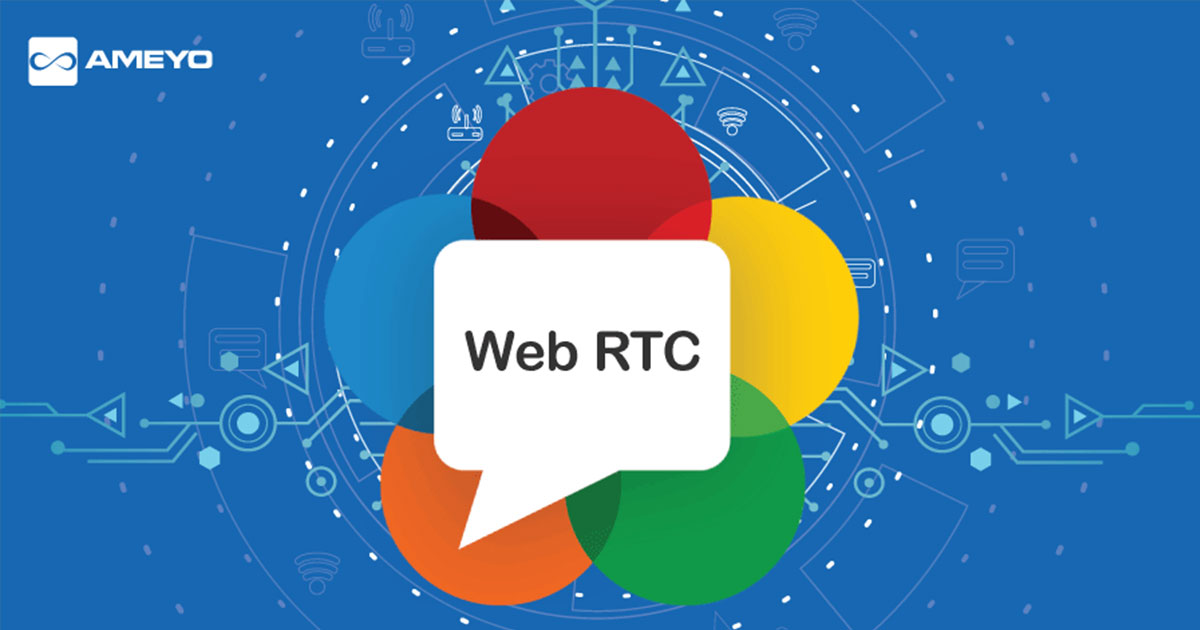
What WebRTC means in simple terms
Why WebRTC matters so much in BigBlueButton
Why WebRTC feels different from ordinary video calls
Self-managed infrastructure vs managed classroom delivery
Category Self Hosted Managed WebRTC Tuning Internal team handles browser behavior, ports, and quality checks Provider helps reduce setup errors and improve predictable delivery Scale Events Schools carry the burden of peak-hour testing and concurrency planning Better fit for institutions with shifting classroom demand Support Load IT owns most troubleshooting around latency, jitter, and recording complaints Lets internal teams focus more on governance and adoption The real requirements behind smoother classroom calls
How WebRTC works in plain language
Security and governance in browser-based classrooms
How WebRTC connects to recording in BigBlueButton
Canvas and cross-LMS recording workflows
Recommended next links
FAQ
What is WebRTC in a virtual classroom?
Why does latency matter so much for online teaching?
What is packet loss?
What is jitter?
Why do schools need TURN and STUN?
How do you record in BigBlueButton?
Where do I find conference recordings on BigBlueButton?
Can students record Canvas conferences?
Make virtual classroom quality easier to understand and easier to manage
